
When to use Detailed Report
The Detailed Report is ideal when you already have a small, curated list of genes and need a written narrative that explains how they relate to a specific disease or biological process. Typical use cases include:
- Interpreting a hit list from a differential expression or GWAS study
- Generating a methods/background section for a grant or manuscript
- Understanding the mechanistic relationships within a published gene signature
- Generating a briefing document on a set of therapeutic targets for a drug discovery team
Filling in the form
Navigate to formaticon.cellformatica.com/report-request or click Create Detailed Report from the dashboard.
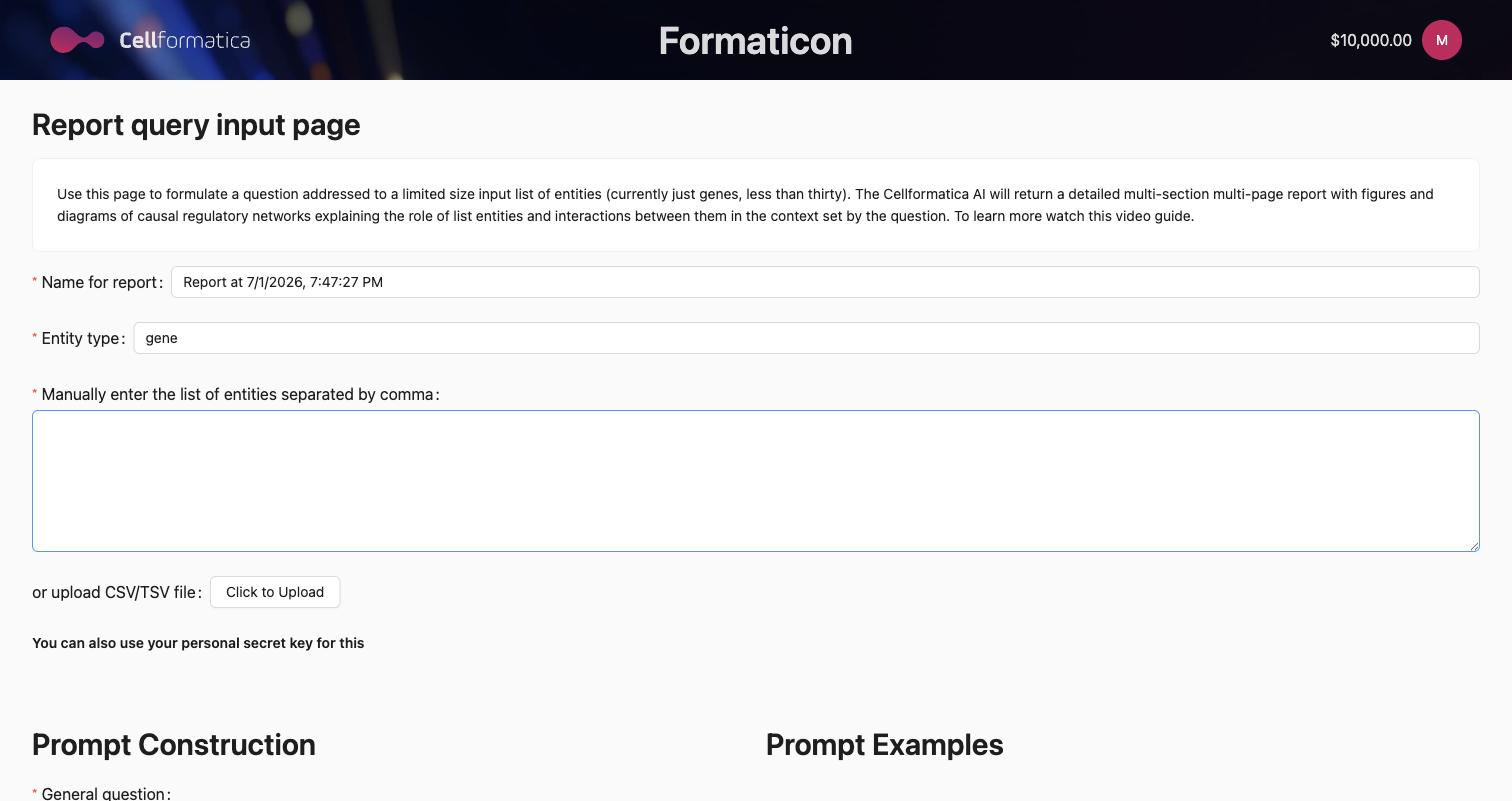
Research question Required
State the biological or clinical question you want the report to address. The AI uses this to frame the analysis: every section is written in the context of your question.
Good examples:
- "What are the roles of these transcription factors in the regulation of epithelial-to-mesenchymal transition in breast cancer?"
- "How do these kinases interact within the PI3K/AKT/mTOR pathway and what is their relevance to treatment resistance in glioblastoma?"
- "What is the evidence for these five biomarkers as predictors of response to immune checkpoint inhibitors in melanoma?"
Specificity matters: the more context you provide about the disease, tissue type, and angle of interest, the more focused and useful the report will be.
Gene list Required
Enter your genes as a comma-separated list or upload a CSV file. Use HGNC-approved gene symbols (e.g. EGFR, KRAS, TP53, PIK3CA, BRAF).
CSV upload format
Upload a CSV with gene symbols in the first column. A header row is optional. Example:
gene
EGFR
KRAS
TP53
PIK3CA
BRAF
Running the report
Click Submit. A confirmation modal shows your inputs and the estimated credit cost. Click Confirm to begin. Processing typically takes 30 to 90 minutes depending on list size and system load.
You do not need to keep the browser tab open. The report is stored and will appear in your Detailed Report History when complete.
What the report contains
Each Detailed Report is structured as a formal scientific document. Typical sections include:
- Introduction / Background: context for the biological question, disease area, and gene panel.
- Regulatory and functional analysis: for each gene or gene cluster, a narrative covering known molecular functions, pathway memberships, protein interactions, and published regulatory relationships.
- Disease associations: published evidence linking each gene to the condition specified in your question.
- Key uncertainties: gaps in current knowledge and areas of conflicting evidence.
- Novel hypotheses: mechanistically grounded, testable research directions generated by the AI.
- Conclusion: synthesis of the main findings and their implications.
- References: numbered citation list, sourced from PubMed and preprint servers.
The PDF version includes formatted figures (pathway diagrams, charts). The DOCX version is editable and suitable for direct inclusion in manuscripts or grant applications.
Downloading your report
Go to Detailed Report History. Find your completed report (status: SUCCESS) and click the download buttons to save the PDF and DOCX files.
Sharing the report
Click Share on the history page to generate a read-only access-token link. Recipients can view the report status and download files without needing a Formaticon account. See History, Sharing & Billing for details.
Tips for better reports
- Provide disease and tissue context in your question — "in colorectal cancer" or "in CD8+ T cells" helps focus retrieval.
- Use clean gene symbols — avoid aliases, Ensembl IDs, or RefSeq accession numbers; stick to HGNC symbols.
- Group functionally related genes — a panel of kinases from one pathway produces a more coherent report than a mixed list of unrelated genes.
- For drug targets: include the target gene name rather than the drug name if you want mechanistic analysis.
Need more depth?
For open-ended questions without a defined gene list, or when you need a full systematic review with PRISMA documentation and hypothesis generation, consider the Bioscientist Agent. It runs a longer, more comprehensive pipeline and delivers a white paper with figures and a full reference archive.